Hooponopono Mirror shows one phrase at a time, then a pause, then the next phrase. You set the number of seconds for each phrase and for each pause in Settings. The default is 3 seconds and 3 seconds. What you do with your attention during that time is yours to decide.
What is the rhythm?
Each of the four phrases stays on the screen for a fixed number of seconds. Between phrases there is a pause.
How do I change it?
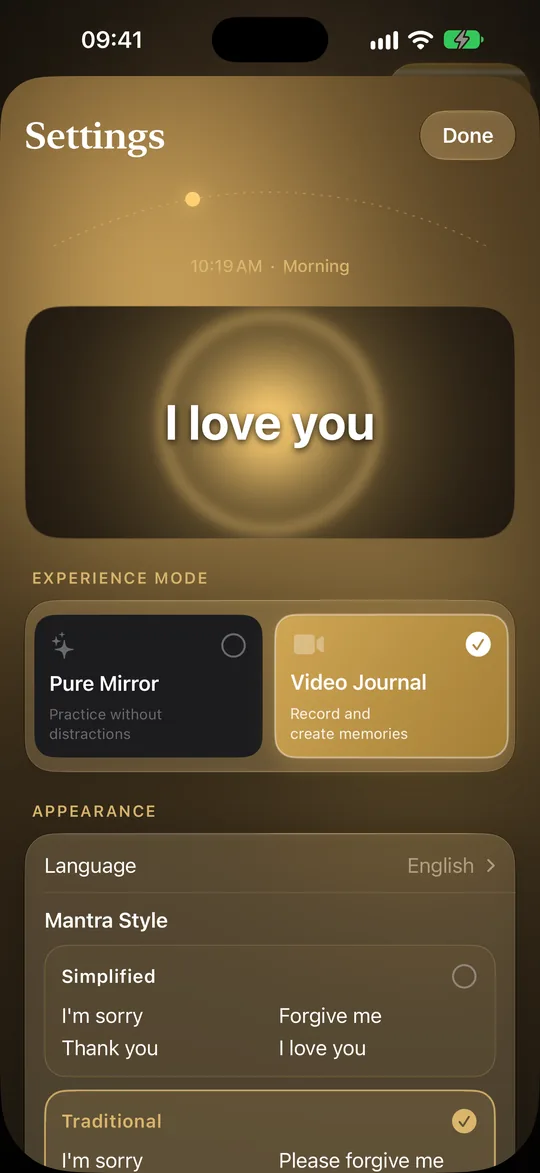
Open Settings. There you set the seconds for each phrase and the seconds for each pause separately. The default is 3 seconds for a phrase and 3 seconds for a pause.
Why one phrase at a time?
The app is built so that only the current phrase is on screen. This keeps the screen simple and leaves the pace to you. We do not claim any effect from a particular rhythm: the app only shows the phrases at the pace you choose.
Can I see how often I practise?
Yes. The statistics and history show how regular your practice is. Every finished session is counted exactly once.
In the app
Settings: seconds for each phrase, seconds for each pause, Mantra Style, Experience Mode.
Try it in the app
Download on the App Store Android — coming soon
Early access on request: write to contact@hooponoponomirror.com.
Read next
Sources
Ho'oponopono Mirror is a personal reflection tool. It is not a medical device and does not replace a professional.